🌙 Meet the AI Content Creator Planner Built for Dark Mode
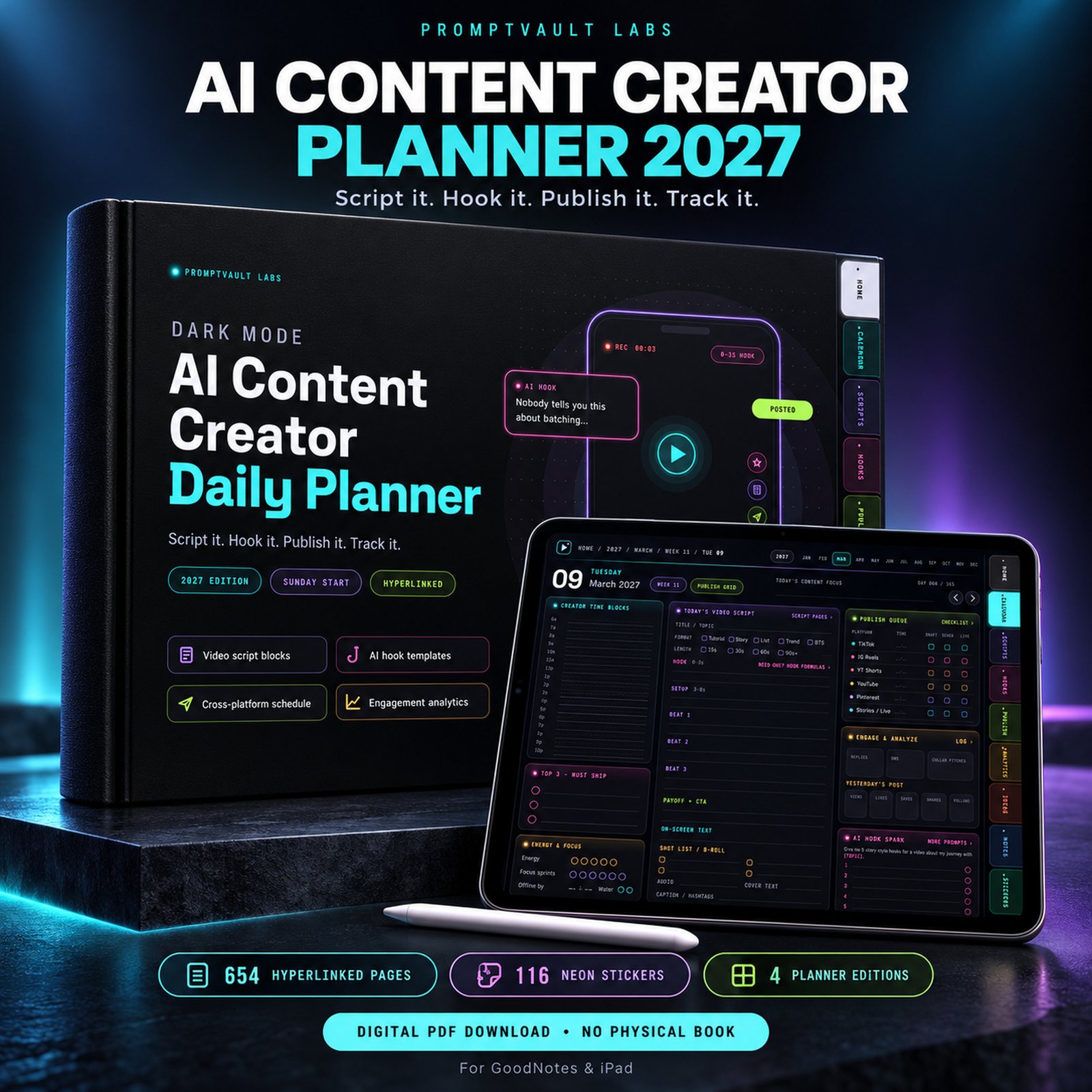
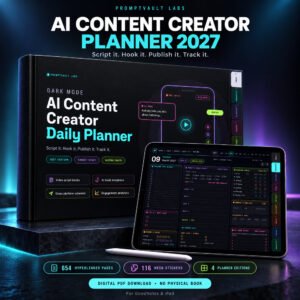
- 🖤 This AI content creator planner turns your iPad into a glare-free production studio: 654 fully hyperlinked pages on a true OLED-black canvas
- ✨ Soft neon category tabs glow along the right edge, so scripts, hooks, publishing and analytics are one tap apart
- 🎯 Designed for video creators, social media marketers, UGC creators and digital copywriters who plan short-form promos for TikTok, Instagram and Pinterest
- 🛒 Built to help you drive traffic from short-form video to your Etsy shop or online store, with a content system that keeps every post tied to a goal
- 📘 Research on light-on-dark colour schemes explains why dark layouts feel easier on the eyes in dim rooms, which suits late-night scripting and editing
- 📲 Works in GoodNotes, Notability, Noteshelf and Samsung Notes, so you can write with your stylus right on the page
📦 What You Get Inside This AI Content Creator Planner
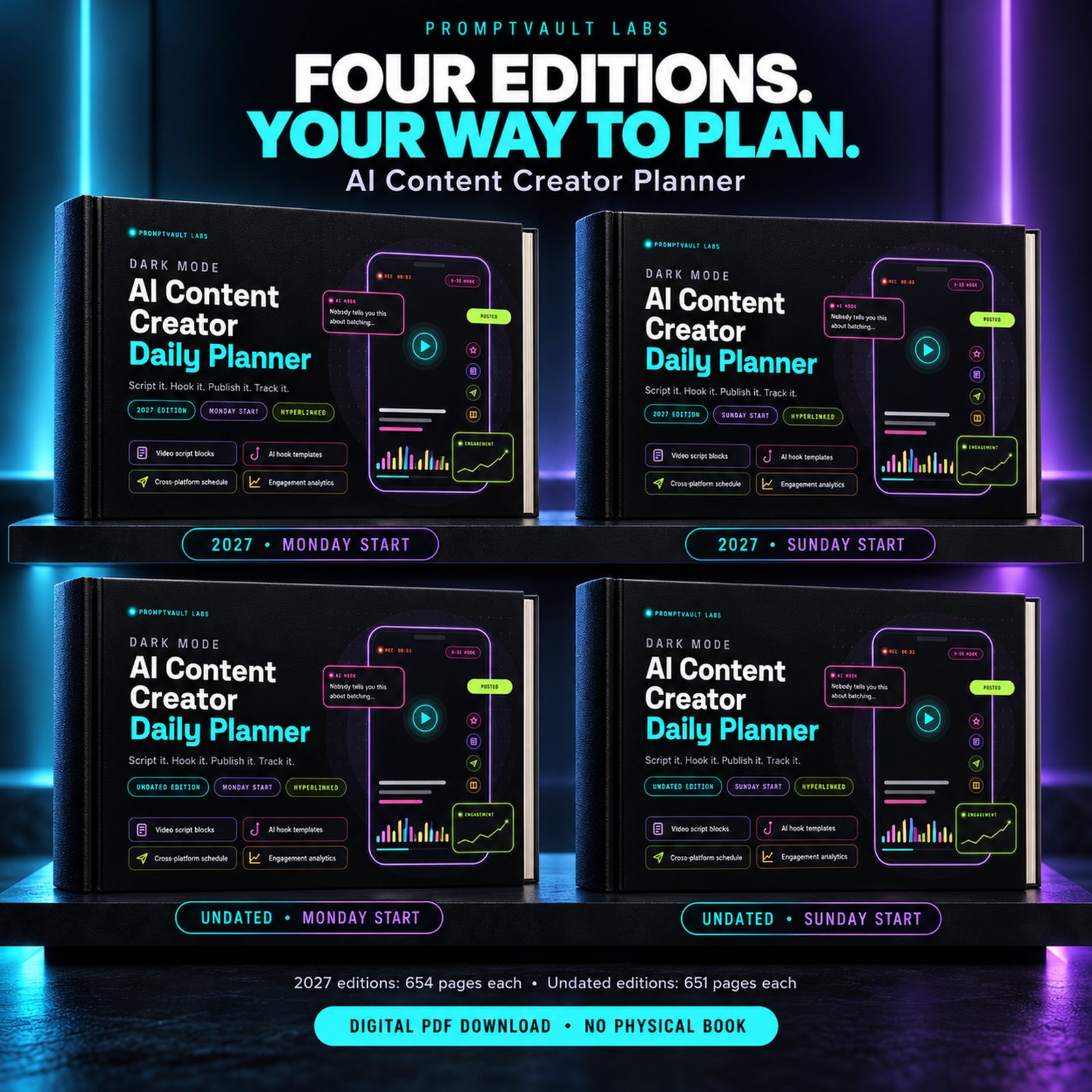
- 📄 4 hyperlinked PDF planners – 2027 dated and undated editions, each with Sunday-start and Monday-start weeks
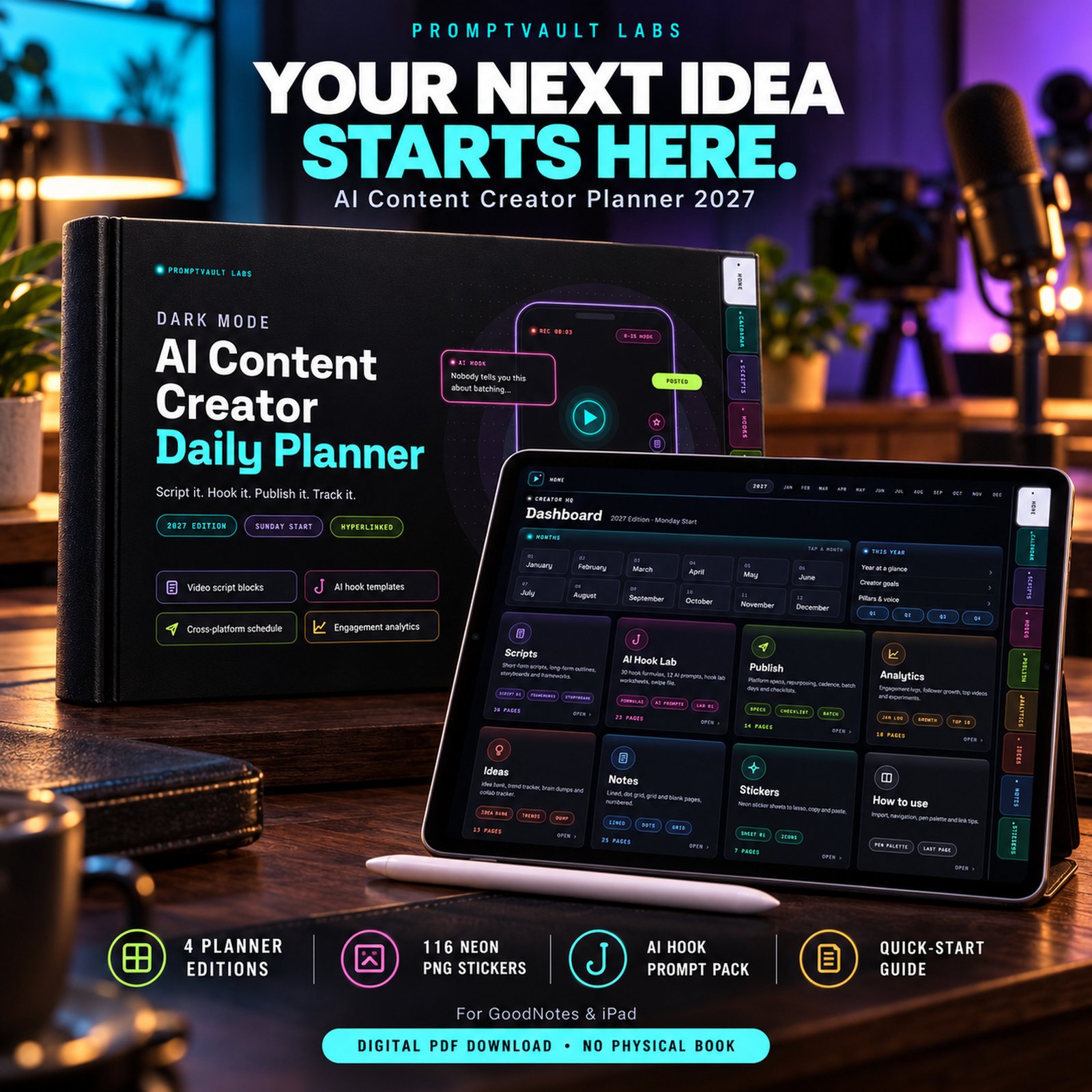
- 🧭 Dashboard home page with quick links to Scripts, Hook Lab, Publish, Analytics, Ideas, Notes and Stickers
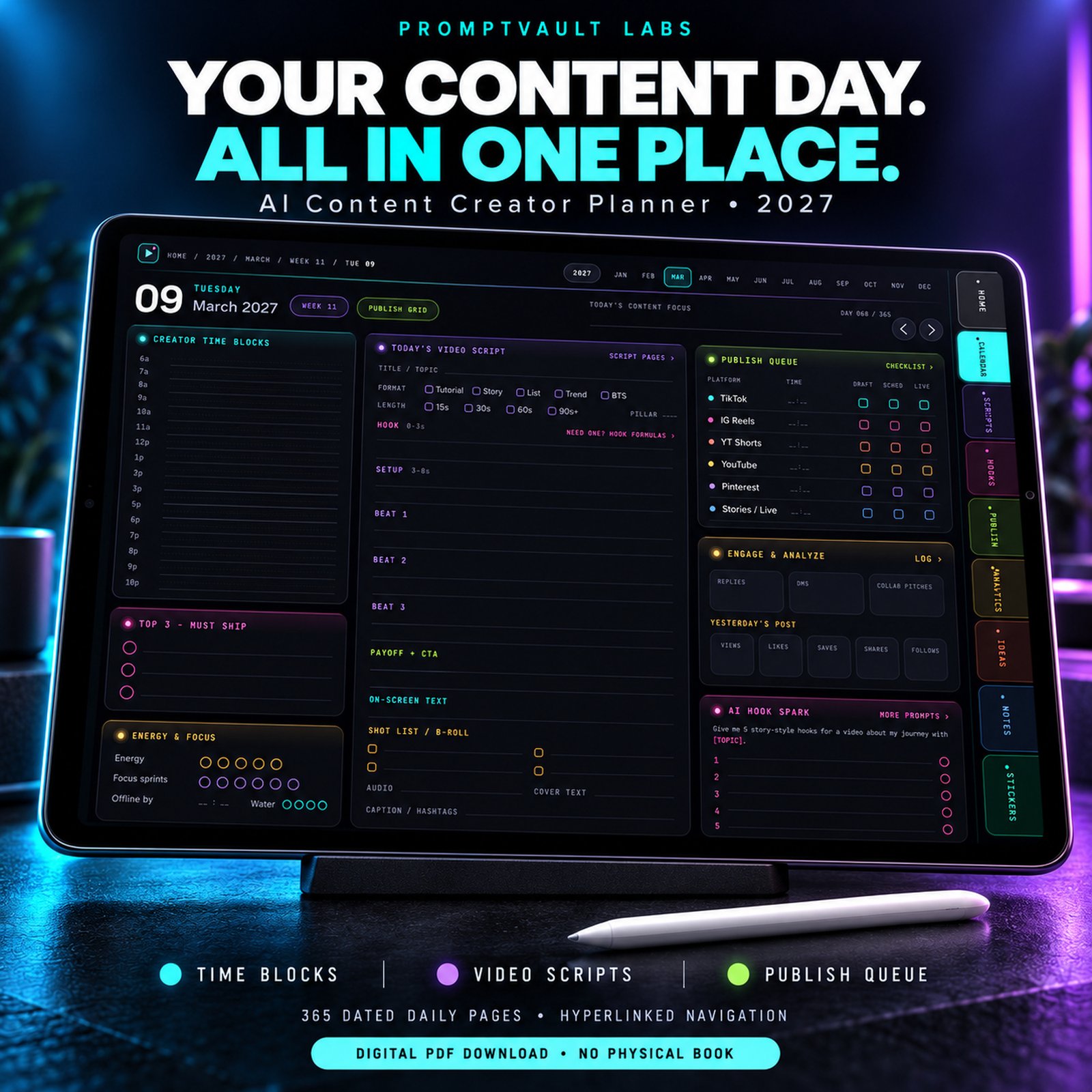
- 🎬 365 daily pages with a video scripting block – hook (0–3s), setup, three beats, payoff/CTA, on-screen text and shot list
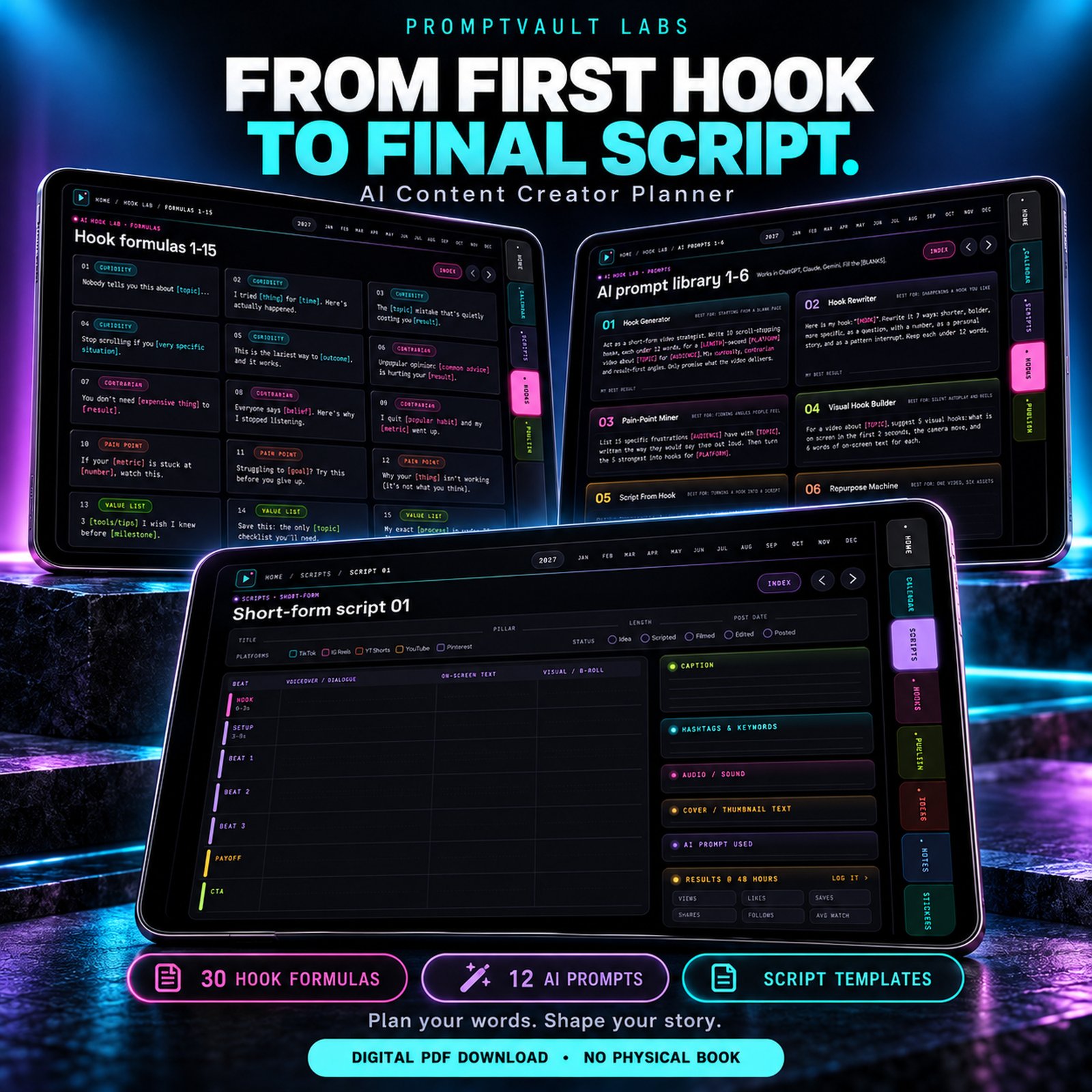
- 🪝 AI Hook Lab – 30 hook formulas in 9 categories, 12 AI prompts, 12 hook worksheets, a swipe file and A/B test logs
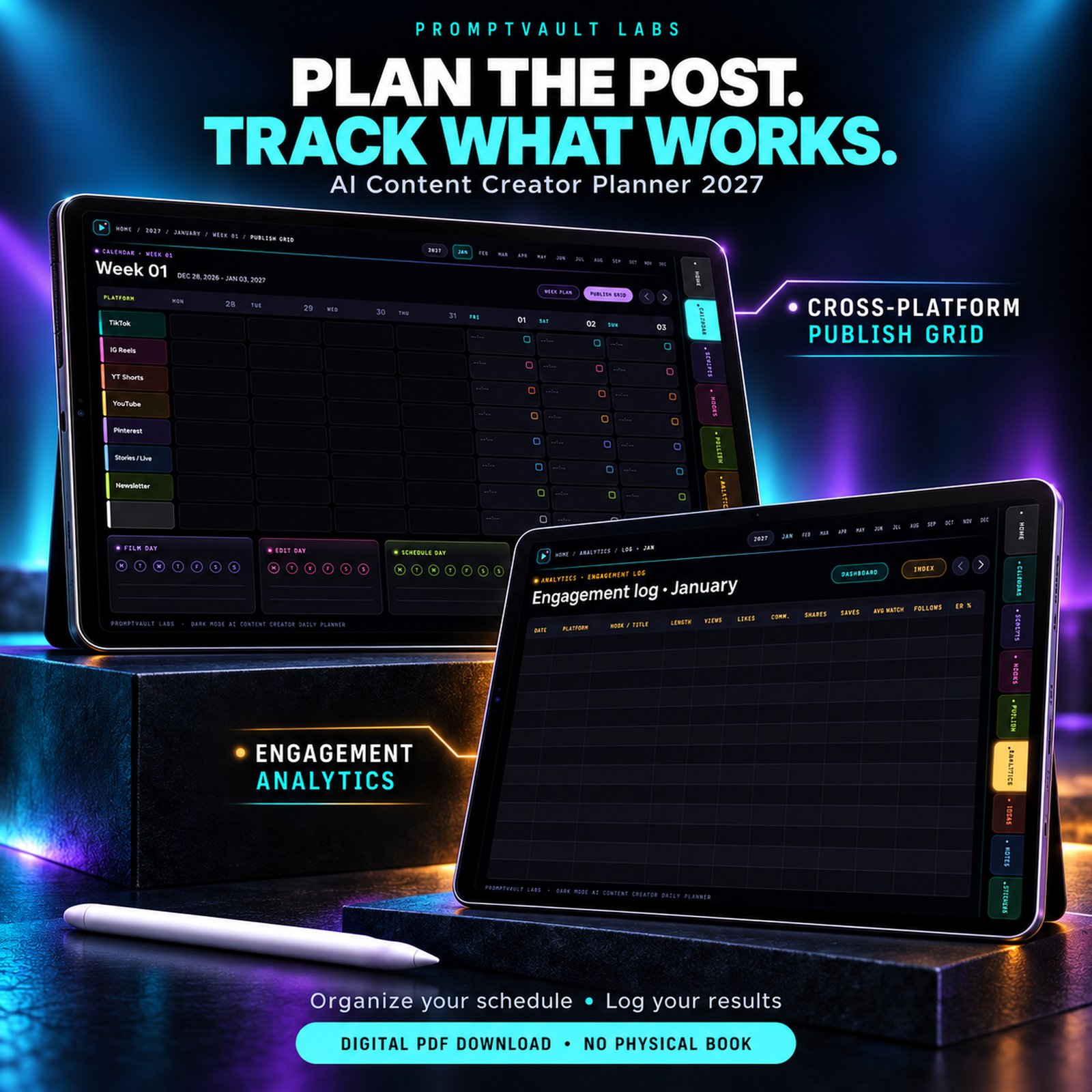
- 📅 Cross-platform publishing schedule – a daily 6-platform publish queue plus 53 weekly publishing grids covering TikTok, Instagram Reels, YouTube Shorts, YouTube, Pinterest pins (see Pinterest for Business for pin specs), Stories and Newsletter
- 📊 Engagement analytics logs – 12 monthly logs, follower growth, Top 10 videos, 2 experiment pages and a yearly Wrapped review
- ✍️ Script library – 24 short-form scripts, 6 long-form outlines, 4 vertical storyboards and 6 script frameworks
- 🗓️ Big-picture planning – year view, creator goals, content pillars, 4 quarterly sprints, 12 monthly calendars with content plans and dashboards
- 📦 Publishing toolkit – platform specs, repurposing map, posting cadence, pre-publish checklist, batch-day pages, hashtag banks and caption formulas
- 💡 Idea vault and notes – idea banks, trend tracker, brain dumps, collab tracker and 24 notes pages
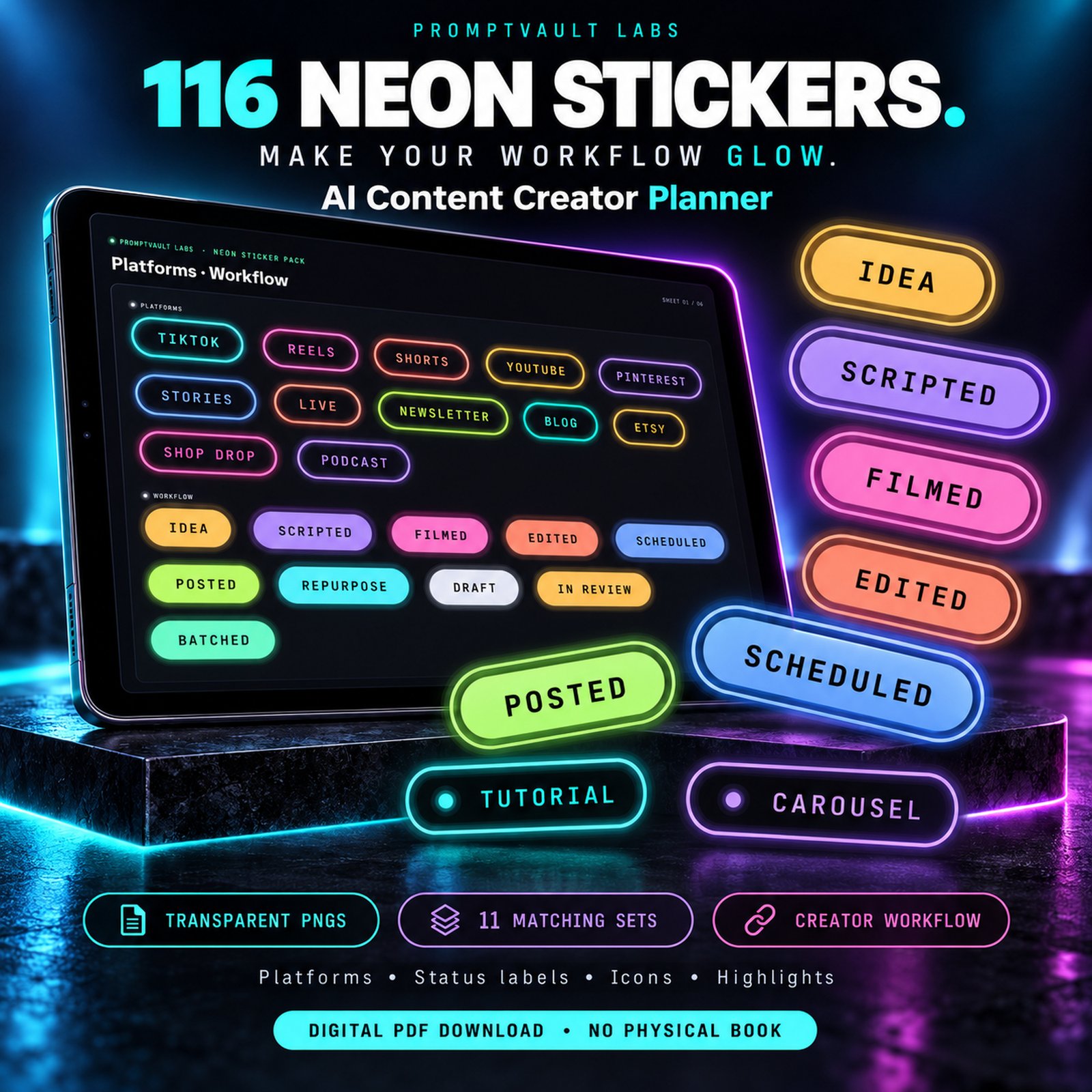
- 🎁 Bonus pack – 116 transparent neon PNG stickers, a 2-page Start Here guide and a plain-text AI hook prompt pack
📋 Product Detail Table
| Product name | AI Content Creator Planner – Dark Mode Hyperlinked Daily Planner by PromptVault Labs |
|---|---|
| Format | AI content creator planner as a digital PDF (hyperlinked) + ZIP with Start Here guide, 116 transparent PNG stickers and AI hook prompt pack |
| Editions included | 4 PDFs: 2027 dated and Undated, each in Sunday-start and Monday-start |
| Total pages | 654 pages (2027 editions) • 651 pages (undated editions) |
| Dates covered | January–December 2027 with 365 daily pages (dated) • 52 weeks, 364 daily pages (undated) |
| Page layout | Landscape 1194 × 834 pt, tuned for iPad and tablets |
| Colour theme | True OLED black #000000 with soft neon cyan, violet, pink, lime, amber, coral, blue and mint tabs |
| Navigation | More than 22,000 tappable internal links per edition: month tabs, dates, week numbers, breadcrumbs and prev/next arrows |
| Daily page | Time blocks, video scripting block, 6-platform publish queue, engagement stats and a daily AI Hook Spark prompt |
| Planning pages | Year view, creator goals, content pillars, 4 quarterly sprints, 12 monthly calendars, content plans and dashboards, weekly plans and publishing grids |
| Script library | 24 short-form scripts, 6 long-form outlines, 4 vertical storyboards and 6 script frameworks |
| AI Hook Lab | 30 hook formulas, 12 AI prompts, 12 hook worksheets, 4 swipe file pages and 2 A/B test logs |
| Publishing tools | Platform specs, repurposing map, posting cadence, pre-publish checklist, 6 batch-day pages, hashtag banks and caption formulas |
| Analytics | 12 monthly engagement logs, follower growth, Top 10 videos, 2 experiment pages and a yearly Wrapped page |
| Stickers | 116 transparent PNG neon stickers in 11 sets, plus 6 sticker sheets inside the planner |
| Compatible apps | GoodNotes, Notability, Noteshelf, Samsung Notes and other PDF apps that support internal links |
| Devices | iPad, Android tablets, Mac and Windows PDF readers |
| File size | About 8.7 MB per PDF |
| Delivery | Instant digital download – 5 downloads, no expiry |
| Licence | Personal use and use in your own creator business; no resale or redistribution |
⚡ Why Creators Love This AI Content Creator Planner
- 🔦 Easy on the eyes – true-black pages and high-contrast neon tabs keep the AI content creator planner readable in any light
- ⏱️ Faster batching – script, schedule and review in one file instead of juggling five apps
- 🧠 Never stuck on a hook – every daily page carries an AI Hook Spark prompt you can paste into your favourite AI tool
- 🔗 One-tap navigation – every date, week, month and tab links to the right page
- 🔄 Dated or undated – start this AI content creator planner in January 2027 or in any month, in Sunday or Monday week layout
🛠️ How It Works
- 1️⃣ Purchase and download your files from the order email or My Account
- 2️⃣ Unzip the bundle and choose one AI content creator planner PDF: dated or undated, Sunday-start or Monday-start
- 3️⃣ Import it into GoodNotes, Notability, Noteshelf or Samsung Notes (see Apple’s iPad User Guide for importing files)
- 4️⃣ Add the neon PNG stickers to your sticker library and read the Start Here guide
- 5️⃣ Tap the right-hand tabs to jump between sections, then script your first hook
❓ AI Content Creator Planner FAQs
- ❓ What is the best AI content creator planner for GoodNotes and iPad?
This AI content creator planner gives you 654 hyperlinked dark mode pages with video scripting blocks, an AI hook lab, a cross-platform publishing schedule and engagement analytics logs, so one file runs your whole content workflow. - ❓ Who is this planner for?
Video creators, social media marketers, UGC creators, digital copywriters and small business owners who post on TikTok, Instagram, YouTube and Pinterest and want scripts, hooks, schedules and results in one place. - ❓ What is included in my download?
You receive four planner PDFs (2027 dated and undated, each in Sunday-start and Monday-start), a Start Here setup guide, 116 neon PNG stickers and a plain-text AI hook prompt pack. - ❓ Which edition should I choose, dated or undated?
Pick the 2027 dated edition if you want every date linked from January to December 2027. Pick the undated edition to start in any month and write the dates yourself. Use one PDF per notebook to keep your notes together. - ❓ Does the planner use AI?
The planner includes ready-to-use AI prompts and hook templates that you paste into ChatGPT, Claude or Gemini. No software is installed and no subscription is needed. - ❓ Which apps does it work with?
It works with GoodNotes, Notability, Noteshelf, Samsung Notes and other PDF apps that support internal links. GoodNotes on iPad gives the smoothest experience. - ❓ Is this AI content creator planner beginner friendly?
Yes. The Start Here guide walks you through setup in minutes, and every page has labelled boxes, so first-time creators and experienced marketers can start planning on day one. - ❓ Can I print it?
This planner is designed for on-screen use with a stylus on a tablet. The true-black pages use a lot of ink, so printing is not recommended. - ❓ Can I use this AI content creator planner on an Android tablet?
Yes. Import the PDF into Noteshelf, Samsung Notes or any PDF app that supports internal links, and the tabs, dates and arrows will work the same way. - ❓ Why dark mode?
True-black pages reduce glare during late-night editing sessions, and the neon tabs make every section easy to find. Write with light ink colours such as white, cyan or violet. - ❓ How do I download the files after purchase?
Open your order confirmation email or go to My Account → Downloads. You get up to 5 downloads per file and the links never expire. - ❓ Can I use it for my client work or creator business?
Yes. You may use the planner to run your own creator business. Sharing, reselling or redistributing the files is not permitted.
💜 More From PromptVault Labs
- 📅 Want a full life system? See the Ultimate Life & Productivity Digital Planner 2027
- 🧠 Need a calmer, focus-first layout? Try the ADHD Digital Planner
- 🏡 Teaching at home? Explore the Homeschool Mom Planner
- 👶 Expecting? Grab the Printable Baby Planner
- 🐬 Family time: The Dancing Dolphin Storybook and 100 Cute Ocean Animals Coloring Pages
- 🎃 Kids’ fun: Halloween Coloring Book, Printable Dinosaur Coloring Book and Exotic Fruits Coloring Book
📜 Licence & Notes
- ✅ Personal use and use in your own creator business – import this AI content creator planner to your own devices
- 🚫 No resale, sharing or redistribution of the files or stickers
- 📲 Digital product: nothing is shipped, and no physical item is included
- 🖋️ Use light ink colours on the black pages; black ink will not show
Reviews
There are no reviews yet.